Importing products from CSV
Bulk-import products into your store using a CSV file — Shopify-compatible format supported.
Download the template
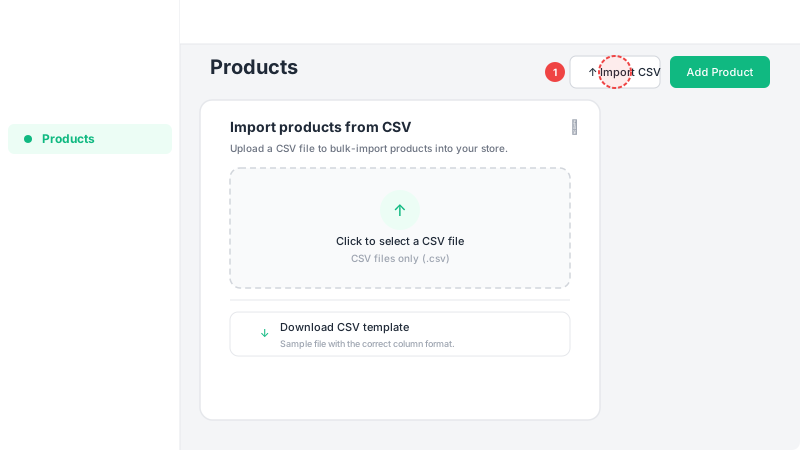
Go to Products in the sidebar and click "Import CSV". In the dialog, click "Download CSV template" to get a sample file with the correct column format. You can also use an exported CSV from Shopify — Leadivo supports the same format.
Fill in your products
Open the CSV in any spreadsheet app (Excel, Google Sheets). Each row is one product or variant. Required columns: Title and Price. Optional columns include Description, SKU, Stock, Status, Image URL, Collection, and variant options (Option1 Name, Option1 Value, etc.). For products with variants, use the same Title for each variant row and fill in different option values.
Upload and import
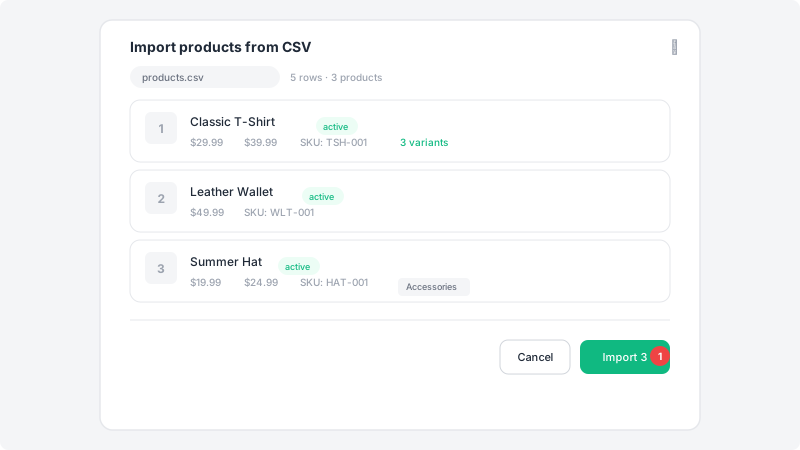
Click "Import CSV" on the Products page and select your CSV file. You'll see a preview of your data with the number of products detected. Review the preview, then click "Import" to start. The system will create all products, upload images from URLs, match collections by name, and generate variants automatically. You'll see a summary when it's done.