Managing product reviews
Collect, moderate, and display customer reviews on your products.
How customers leave reviews
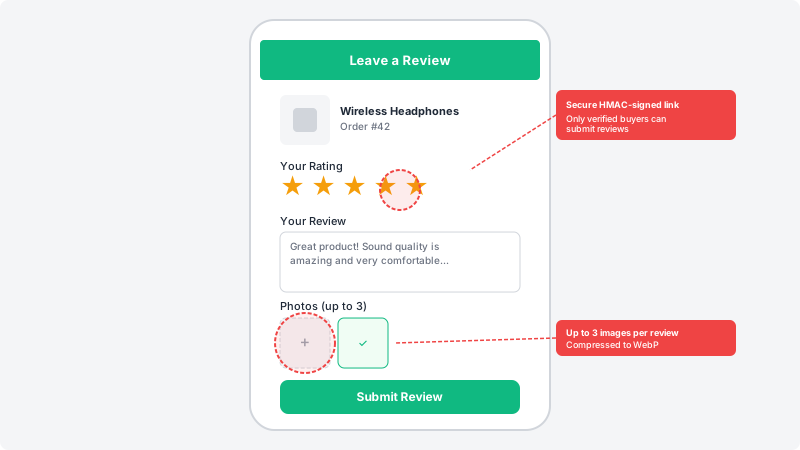
After an order is delivered, your customer receives a review link via WhatsApp. This link is secure and unique — it uses HMAC signing to ensure only verified buyers can submit reviews. Customers can rate from 1 to 5 stars, write a comment, and upload up to 3 images. Each customer can leave one review per product, and their review is automatically marked with a verified purchase badge.
Moderate reviews from the dashboard
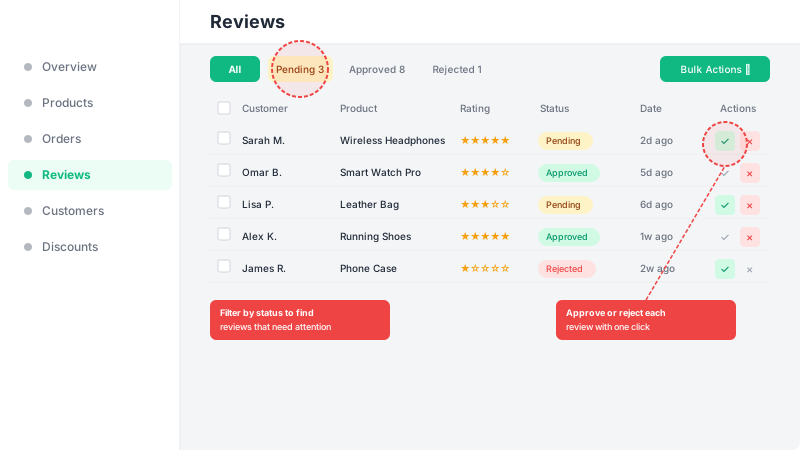
Go to the Reviews section in your dashboard to see all submitted reviews. Use the filter tabs (All, Pending, Approved, Rejected) to quickly find reviews that need your attention. For each review, you can approve it to display on your storefront, reject it to keep it hidden, or delete it entirely. You can also select multiple reviews and use bulk actions to approve, reject, or delete them at once.
Customize review display in the design builder
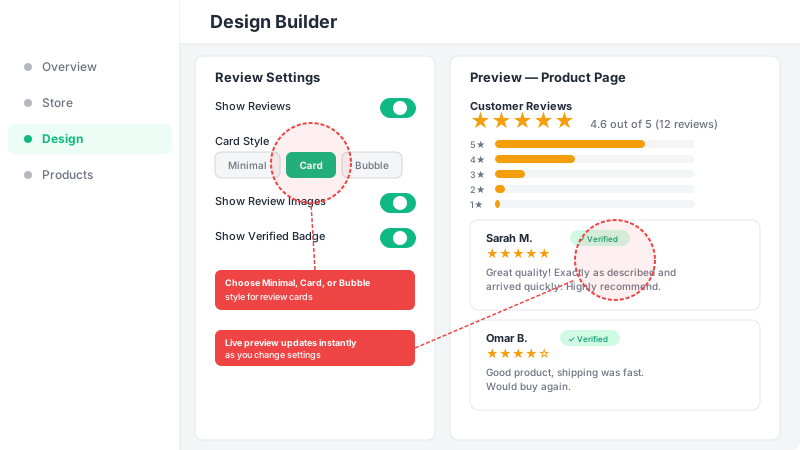
Open the Design Builder and scroll to the review settings. You can show or hide reviews on your storefront, choose a card style (Minimal, Card, or Bubble), toggle review images, and show or hide the verified purchase badge. Star ratings automatically appear on product cards across your home page and collection pages, and the full reviews section displays on each product page with average rating, star breakdown, and individual review cards.