

Setting up TikTok Pixel
Track conversions and optimize TikTok ads with the Event API.
1
Install TikTok Event API integration
Go to Integrations and find the "TikTok Event API" card under the Tracking category. Click "Install" to add it, then click "Configure" to set it up. This integration sends customer actions (page views, add to cart, purchases) to TikTok for ad optimization and conversion tracking — similar to how Meta Pixel works for Facebook ads.
2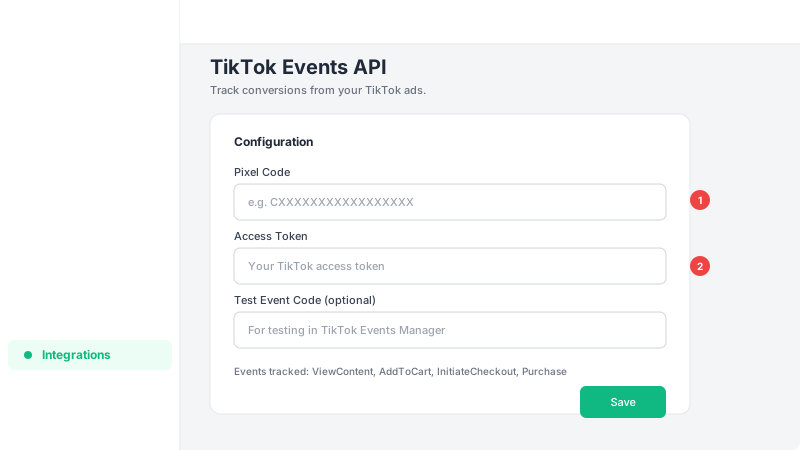
Enter your Pixel Code and Access Token
You'll need your TikTok Pixel Code and an Access Token from TikTok Events Manager. Paste both into the corresponding fields. You can optionally add a Test Event Code to verify events are being sent correctly before going live. Events tracked include ViewContent, AddToCart, InitiateCheckout, and CompletePayment.
Frequently Asked Questions
What events does TikTok Pixel track?
TikTok Event API tracks four events: ViewContent (product page views), AddToCart (items added to cart), InitiateCheckout (cart page visits), and CompletePayment (completed orders). These events help TikTok optimize your ad delivery and measure conversions.
Where do I find my TikTok Pixel Code?
Your TikTok Pixel Code can be found in TikTok Events Manager under your TikTok Ads Manager account. Navigate to Assets > Events and you'll see your Pixel Code listed there.