

Setting up Google Analytics
Track visitor behavior and store performance with Google Analytics.
1
Install Google Analytics integration
Go to Integrations and find the "Google Analytics" card under the Tracking category. Click "Install" to add it to your store. Google Analytics helps you understand how visitors interact with your store — where they come from, which pages they visit, and how they navigate your products.
2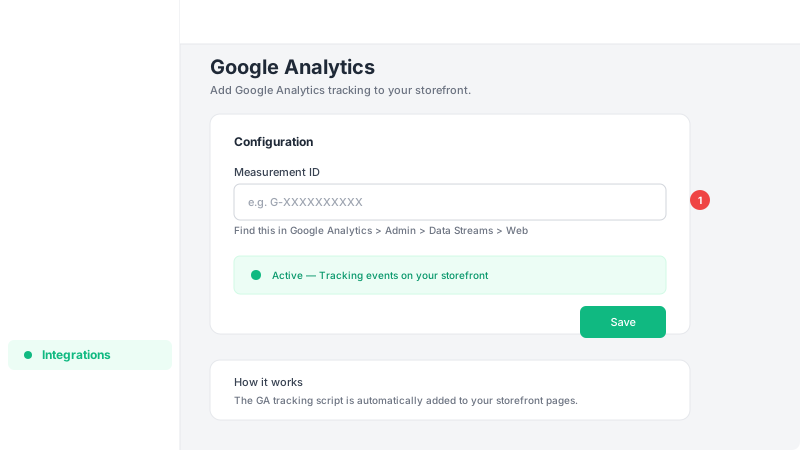
Enter your Google Analytics Measurement ID
Click "Configure" and enter your Google Analytics 4 Measurement ID (starts with "G-", e.g., G-XXXXXXXXXX). You can find this in your Google Analytics account under Admin > Data Streams > Web. Once saved, Google Analytics will start tracking all visitor activity on your storefront automatically.
Frequently Asked Questions
Which version of Google Analytics does Leadivo support?
Leadivo supports Google Analytics 4 (GA4). You'll need a GA4 Measurement ID that starts with "G-". The older Universal Analytics (UA-) is no longer supported by Google.
What data does Google Analytics collect from my store?
Google Analytics tracks page views, session duration, traffic sources, device types, geographic data, and user behavior patterns. This helps you understand your audience and optimize your marketing efforts.