

Phone Verification at Checkout
Verify customer phone numbers with SMS OTP to prevent fake COD orders.
1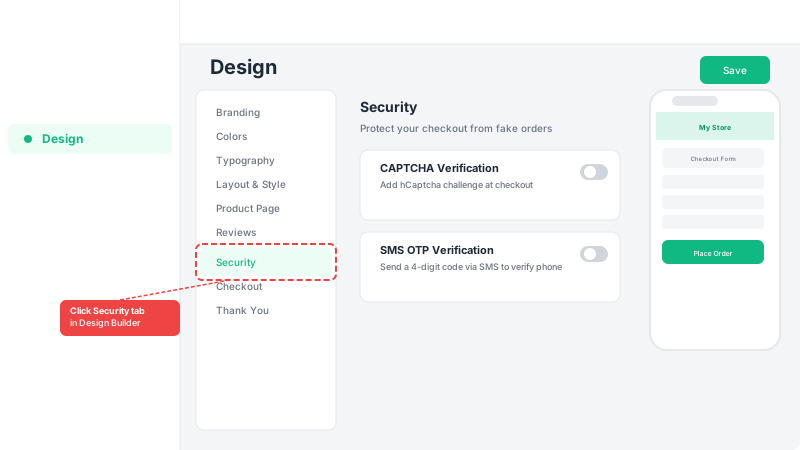
Open the Design Builder
Go to your Dashboard and open the Design Builder. Navigate to the Security tab.
2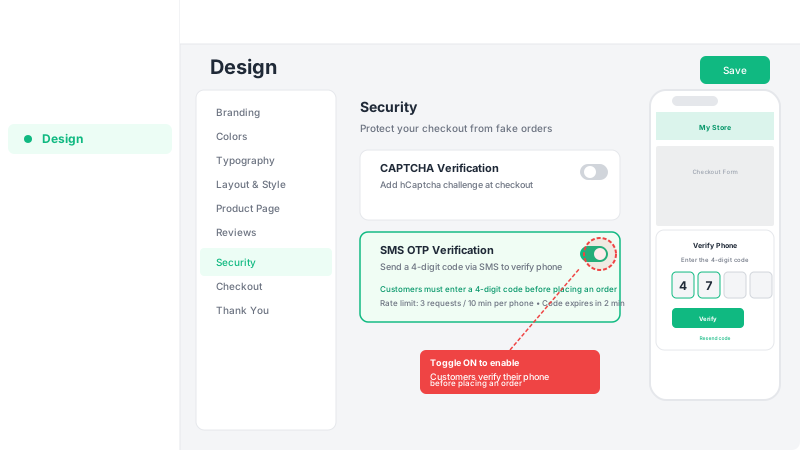
Enable SMS OTP verification
Toggle on SMS OTP verification. When enabled, customers receive a 4-digit code via text message that they must enter before placing an order.
3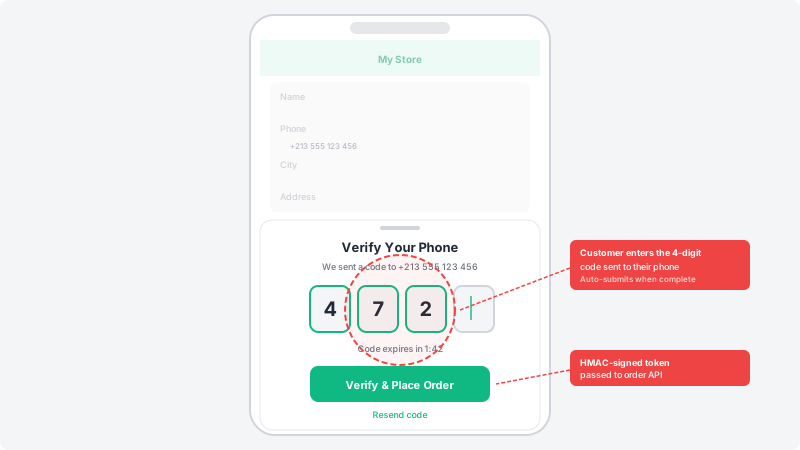
Save and test
Save your design settings and place a test order. When the customer clicks Place Order, a verification sheet will appear asking them to enter the code before the order is submitted.
Frequently Asked Questions
How does SMS OTP verification work?
When a customer places an order, they receive a 4-digit code via SMS. They enter the code in a verification sheet to confirm their phone number before the order is submitted.
What happens if the customer doesn't receive the code?
Customers can resend the code up to 3 times. Each code is valid for 2 minutes. If they still don't receive it, they should check that their phone number is correct.