Abandoned checkout recovery
Automatically recover abandoned carts via WhatsApp notifications.
How it works
When a customer enters their phone number on the checkout page but leaves without placing an order, Leadivo captures their cart as an abandoned checkout. After 30 minutes, if no order was placed, the system automatically sends a recovery notification through your enabled integrations (WhatsApp, Google Sheets, etc.) with a link for the customer to complete their purchase.
Checkout lifecycle
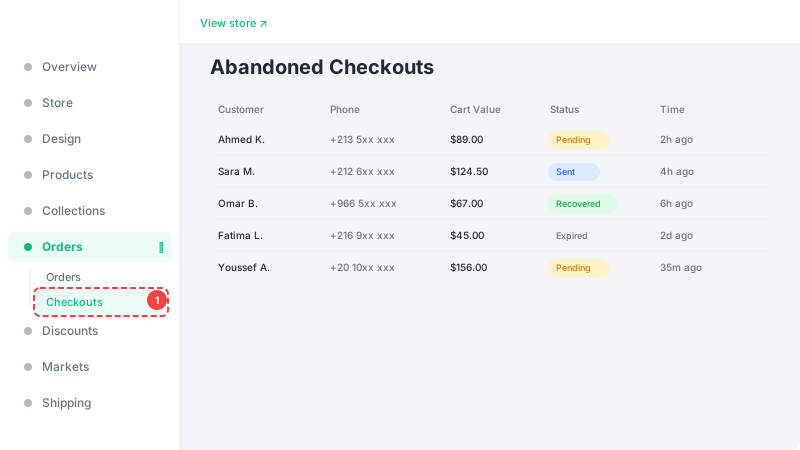
Each abandoned checkout goes through these statuses: Pending (waiting 30 minutes before sending recovery), Sent (recovery notification dispatched), Recovered (customer came back and placed an order), and Expired (48 hours passed with no recovery — the system stops trying). Only one recovery message is sent per checkout to avoid spamming customers.
View abandoned checkouts
Navigate to the Abandoned Checkouts page from the dashboard sidebar to see all captured checkouts. You can filter by status (pending, sent, recovered, expired) and date range. Each row shows the customer's name, phone number, cart items, total value, status, and when it was created. Use this data to understand your cart abandonment patterns and optimize your checkout flow.