

Hiding products per market
Control which products are visible in each market.
1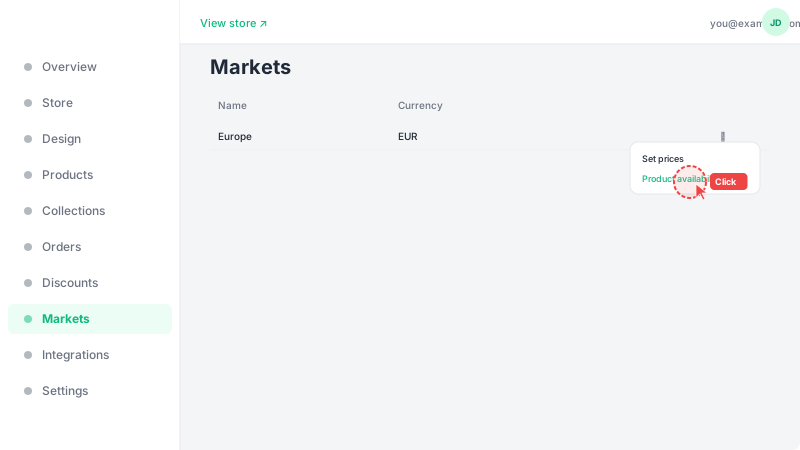
Open product availability
From the Markets list, click the ⋯ menu on the market you want to manage and select "Product availability". This lets you control exactly which products are shown to customers in this specific market — useful if some products aren't available for shipping to certain regions or aren't relevant for that audience.
2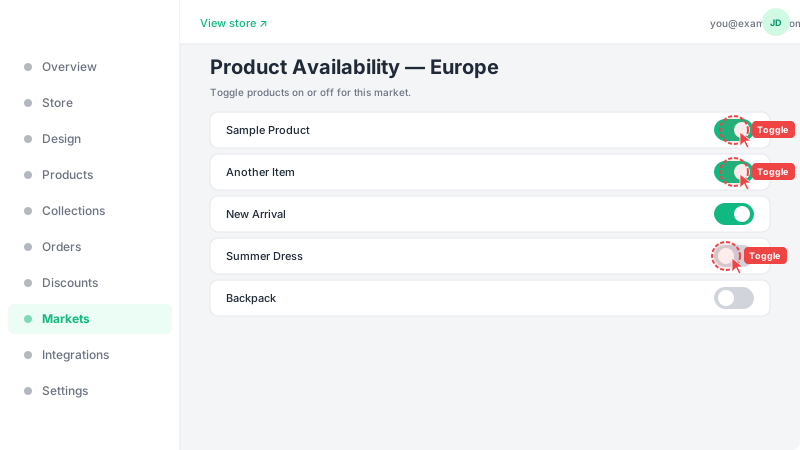
Toggle product visibility
You'll see a list of all your products with toggle switches next to each one. Turn a toggle off to hide that product from this market — it won't appear on the storefront for customers browsing from countries in this market. By default, all products are visible in all markets. Changes take effect immediately after saving. This is independent of the product's active/inactive status.
Frequently Asked Questions
Is product availability per market different from the product's active status?
Yes, they are independent. A product's active/inactive status controls global visibility. Market availability controls whether a visible (active) product appears in a specific market. A product must be active AND available in the market to be shown.